7 Under-the-Radar Editing Features in CapCut and Premiere Pro That Cut Post-Production Time in Half
Advertisements
Mastering 7 under-the-radar editing features in CapCut and Premiere Pro can significantly reduce post-production time, empowering creators to produce high-quality content with unparalleled efficiency and speed.
In the fast-paced world of digital content creation, efficiency is paramount. Every second saved in post-production translates into more creative output, faster delivery, and ultimately, greater success. This article delves into 7 Under-the-Radar Editing Features in CapCut and Premiere Pro That Cut Post-Production Time in Half, offering insights that can revolutionize your workflow and elevate your video projects.
Unlocking CapCut's Hidden Gems for Rapid Edits
CapCut has emerged as a powerhouse for mobile and desktop video editing, often praised for its user-friendly interface. However, beneath its accessible surface lie several advanced features that many users overlook. These tools are specifically designed to accelerate your editing process, allowing you to focus more on creative storytelling and less on tedious tasks.
Exploring CapCut's less-known capabilities can significantly enhance your productivity. From intelligent audio tools to streamlined visual effects, these features provide a robust toolkit for creators seeking efficiency without compromising quality. Understanding how to leverage them effectively can transform your editing speed.
Auto-Captions: Beyond Basic Transcriptions
While many editors are familiar with CapCut's auto-captioning, its true power often goes unutilized. This feature does more than just transcribe; it offers dynamic styling, batch editing, and seamless integration with other text effects. Instead of manually typing out dialogue, which can be incredibly time-consuming, CapCut generates accurate captions in seconds.
- Batch Caption Editing: Edit multiple captions simultaneously, adjusting timing, font, and color across your entire project with a few clicks.
- Dynamic Text Animations: Apply pre-set animations and effects to captions, making them pop without needing complex keyframing.
- Multi-Language Support: Generate captions in various languages, broadening your content's reach effortlessly.
This intelligent tool not only saves hours of manual work but also ensures accessibility for a wider audience, making your content more engaging and inclusive. The ability to refine and stylize these captions quickly is a game-changer for content creators.
Keyframe Graph Editor: Precision Without Complexity
CapCut's keyframe capabilities are robust, but its graph editor is an under-the-radar feature that elevates animation precision. Unlike linear keyframe adjustments, the graph editor allows for smoother, more natural-looking animations by controlling the speed and acceleration of transitions and effects.
Many users shy away from graph editors, assuming they are too complex. However, CapCut's implementation is surprisingly intuitive, offering visual curves that represent animation speed. Mastering this can lead to professional-grade motion graphics and transitions that would otherwise require much more time and advanced software knowledge.
By utilizing the keyframe graph editor, you can achieve nuanced movements for text, graphics, and even video clips, adding a polished, professional touch that often distinguishes amateur from expert work. This level of control, typically found in more advanced software, is readily available in CapCut, making it an invaluable time-saver for detailed animation.
Premiere Pro's Advanced Features for Expedited Workflow
Adobe Premiere Pro is the industry standard for professional video editing, known for its extensive feature set. Yet, even seasoned editors might overlook certain tools designed to significantly speed up their workflow. These aren't just minor shortcuts; they are powerful functionalities that can shave hours off your post-production time.
Diving deeper into Premiere Pro's less obvious capabilities reveals a treasure trove of efficiency-boosting features. These tools range from intelligent audio cleanup to advanced organizational techniques, all contributing to a more streamlined and productive editing experience. Embracing these can help you tackle complex projects with greater ease.
Scene Edit Detection: Instant Cut Recognition
Importing a single, long video file that contains multiple distinct takes can be a nightmare to cut manually. Premiere Pro's Scene Edit Detection feature, often overlooked, automatically analyzes a clip and identifies individual cuts, turning a single file into a sequence of separate clips on your timeline.
This feature is a lifesaver for editors working with consolidated footage, such as recorded live streams, old digitized tapes, or long interview sessions. Instead of painstakingly scrubbing through and making manual cuts, Premiere Pro does the heavy lifting in a matter of seconds, providing a clean, editable sequence.
- Automated Segmentation: Quickly breaks down long footage into manageable, individual shots.
- Time Code Preservation: Maintains original time codes for easy reference and relinking.
- Customizable Sensitivity: Adjust the detection algorithm to suit different types of footage and cut styles.
The efficiency gained here is immense, allowing you to jump straight into refining your edits rather than spending valuable time on basic organizational tasks. It’s a powerful tool for streamlining the initial stages of any complex project.
Text-Based Editing: Edit Video Like Text
Introduced as a revolutionary feature, Text-Based Editing in Premiere Pro allows you to edit your video by simply editing the transcribed text. This means you can delete words or sentences from the transcript, and Premiere Pro automatically removes the corresponding video and audio segments from your timeline.
This feature is particularly beneficial for editing interviews, documentaries, or any dialogue-heavy content. Instead of hunting for specific sound bites on the timeline, you can visually scan the text, making cuts and rearranging content with unprecedented speed and accuracy. It’s like editing a document, but for your video.
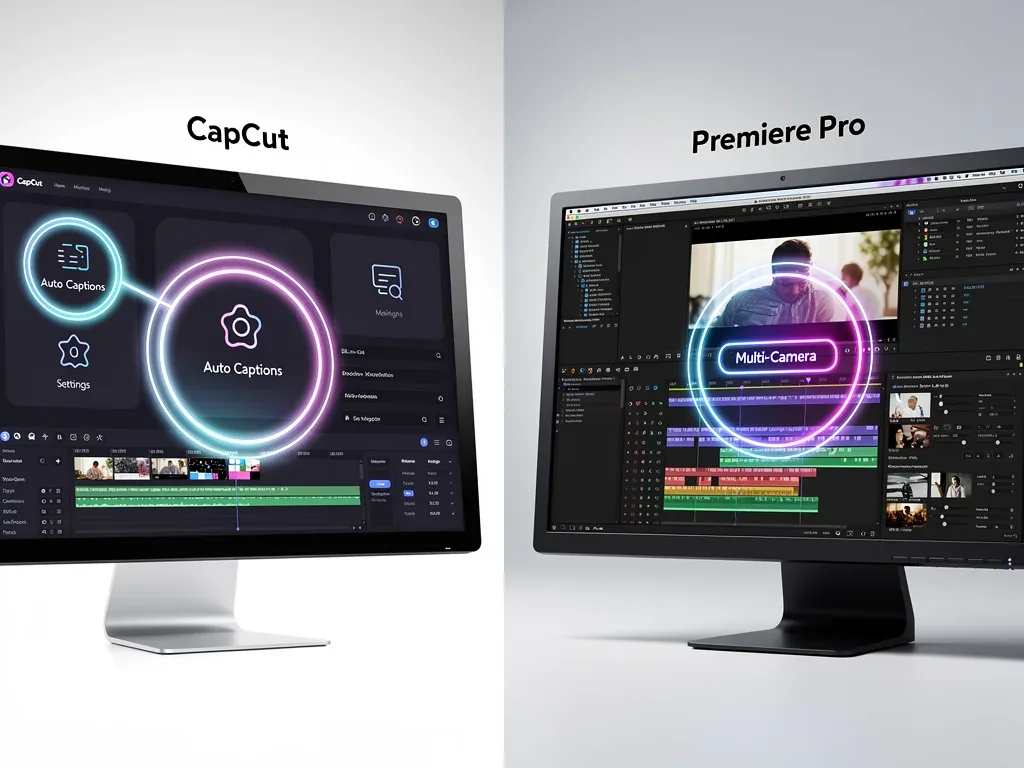
The implications for efficiency are profound. Imagine cutting down a lengthy interview to its essential points in minutes, simply by deleting irrelevant sentences from a text document. This not only speeds up the initial rough cut but also makes fine-tuning dialogue incredibly precise, saving hours of scrubbing and listening.
Streamlining Audio and Visuals Across Both Platforms
Beyond individual platform-specific features, certain under-the-radar techniques and tools can be applied or have parallels in both CapCut and Premiere Pro to dramatically improve your overall post-production efficiency. These often involve intelligent automation or advanced organizational strategies that, once implemented, become indispensable.
Optimizing both audio and visual elements simultaneously is key to a cohesive and efficient workflow. By understanding how to leverage similar functionalities or complementary tools, editors can create a seamless process that reduces bottlenecks and enhances the final product's quality. This cross-platform approach maximizes productivity.
Proxy Workflows: Edit High-Res Footage with Ease
While not strictly a 'feature' in the traditional sense, understanding and implementing proxy workflows is an underutilized strategy in both CapCut (especially for larger projects) and Premiere Pro. Proxies are lower-resolution versions of your original footage that allow for smoother editing, even on less powerful machines.
In Premiere Pro, generating proxies is a built-in process that can be automated upon import. CapCut users, particularly those on mobile, can often benefit from optimizing their footage before import or by using CapCut's built-in optimization settings for smoother playback during editing. Editing with proxies means no more frustrating lags or dropped frames, even when working with demanding 4K or 8K footage.
- Smooth Playback: Eliminates stuttering and lagging, making the editing process more fluid.
- Faster Rendering: While editing, proxies require less processing power, speeding up preview renders.
- Seamless Switching: Easily toggle between proxy and original footage for final export without manual relinking.
This simple yet powerful workflow optimization ensures that your hardware doesn't become a bottleneck, allowing you to edit at the speed of your creativity. It’s a foundational technique for anyone dealing with high-resolution media.
Nested Sequences/Compound Clips: Organizing for Speed
Both Premiere Pro (Nested Sequences) and CapCut (Compound Clips) offer a way to group multiple clips, audio tracks, and effects into a single, editable unit. This feature is a powerful organizational tool that many editors underutilize, often leading to cluttered timelines and slower editing.
Nesting or compounding allows you to simplify complex sections of your timeline, making it easier to navigate and apply global adjustments. For instance, if you have an intro sequence with multiple layers of video, audio, and graphics, you can nest it into a single clip. Any changes made inside the nested sequence automatically reflect in the main timeline.
This not only cleans up your workspace but also significantly speeds up the application of effects and color grading to entire segments. Instead of selecting multiple individual clips, you apply adjustments to one nested clip, ensuring consistency and saving immense amounts of time during revisions. It's an indispensable technique for managing complex projects.
Harnessing AI-Powered Enhancements for Efficiency
Artificial intelligence is rapidly transforming video editing, and both CapCut and Premiere Pro are integrating AI-powered features designed to automate tedious tasks and enhance creative possibilities. These tools are often tucked away or not fully explored by users, yet they hold the key to unprecedented efficiency gains.
From intelligent noise reduction to automated color correction, AI is making advanced post-production techniques accessible and fast. Learning to leverage these smart tools can free up your time from repetitive adjustments, allowing you to focus on the artistic aspects of your video projects. The future of editing is increasingly AI-driven, and staying ahead means understanding these capabilities.
Intelligent Noise Reduction/Enhancement (Audio & Video)
CapCut offers sophisticated noise reduction tools that automatically clean up audio and even video footage with a single click. Similarly, Premiere Pro, especially with its integration with Adobe Audition and built-in essential sound panel, provides powerful AI-driven audio cleanup and video enhancement features.
Many editors spend significant time manually cleaning up background noise, hums, or visual grain. These AI features analyze your footage and audio, intelligently identifying and suppressing unwanted elements while preserving the quality of your desired content. This automation is a massive time-saver, particularly for projects with less-than-ideal recording conditions.

The ability to instantly improve audio clarity and video fidelity without deep technical knowledge or extensive manual adjustments means you can achieve professional-sounding and looking results in a fraction of the time. This is particularly crucial for creators who need to produce high-quality content quickly for social media or news platforms.
| Key Feature | Time-Saving Benefit |
|---|---|
| CapCut Auto-Captions | Automates transcription and styling, saving hours of manual text entry. |
| Premiere Pro Scene Edit Detection | Instantly segments long clips into individual cuts, speeding up initial organization. |
| Premiere Pro Text-Based Editing | Edits video by modifying transcribed text, drastically cutting dialogue editing time. |
| Proxy Workflows | Ensures smooth editing of high-resolution footage, preventing lag and crashes. |
Frequently Asked Questions About Editing Efficiency
How can CapCut's auto-captions save significant time?▼CapCut's auto-caption feature automatically transcribes dialogue, eliminating the need for manual typing. It also allows for batch editing and dynamic styling, enabling swift adjustments across the entire project. This automation drastically reduces the hours typically spent on creating and formatting captions, ensuring accessibility with minimal effort.
What is Scene Edit Detection in Premiere Pro and why is it useful?▼Scene Edit Detection in Premiere Pro automatically analyzes a single, long video clip to identify and separate individual camera cuts. This transforms a continuous recording into a sequence of distinct clips on the timeline. It's incredibly useful for quickly organizing consolidated footage, saving immense time on manual cutting and trimming at the start of a project.
How does Text-Based Editing in Premiere Pro revolutionize dialogue editing?▼Text-Based Editing allows users to edit video content by directly manipulating a transcription of the dialogue. Deleting words or sentences from the text automatically removes the corresponding audio and video segments from the timeline. This intuitive method dramatically speeds up the process of creating rough cuts and fine-tuning dialogue in interviews or speeches.
Why are proxy workflows important for efficient editing?▼Proxy workflows involve creating lower-resolution versions of original high-resolution footage. Editing with these smaller files reduces processing demands on your computer, ensuring smoother playback and faster rendering, even with demanding 4K or 8K content. This prevents frustrating lags and crashes, allowing for a more fluid and uninterrupted editing experience.
How do nested sequences or compound clips improve timeline organization?▼Nested sequences (Premiere Pro) or compound clips (CapCut) group multiple clips, audio tracks, and effects into a single, manageable unit. This simplifies complex timeline sections, making navigation easier and allowing for global adjustments to an entire segment. It streamlines the application of effects and color grading, ensuring consistency and significantly reducing revision time.
Conclusion
Mastering these 7 Under-the-Radar Editing Features in CapCut and Premiere Pro That Cut Post-Production Time in Half is not just about learning new tools; it's about fundamentally transforming your approach to video editing. By integrating these powerful, yet often overlooked, functionalities into your workflow, you can achieve unprecedented levels of efficiency and creative freedom. Whether you're a budding content creator using CapCut or a seasoned professional relying on Premiere Pro, leveraging these features will empower you to produce high-quality videos faster, allowing you to meet deadlines with ease and dedicate more time to the artistic vision of your projects. Embrace these advanced techniques, and watch your post-production time shrink while your creative output soars.
