Automate Social Media Video Repurposing with Local Open-Source AI
Advertisements
Automating social media video repurposing with local open-source AI allows content creators to efficiently transform long-form content into platform-optimized snippets in under ten minutes, significantly enhancing content output and audience engagement without extensive manual effort.
In today's fast-paced digital landscape, content is king, but consistency and variety are its most loyal subjects. For many, the idea of consistently churning out high-quality video content across multiple social media platforms can feel like an insurmountable challenge. However, what if you could drastically cut down the time and effort involved? This article will show you how to automate social media video repurposing using local open-source AI in under 10 minutes, transforming your content strategy and maximizing your reach with unprecedented efficiency.
The imperative of video repurposing in digital marketing
Video content dominates social media, capturing attention and driving engagement like no other medium. Yet, creating unique videos for every platform and audience segment is resource-intensive. Repurposing existing long-form video content into shorter, platform-specific clips is a strategic necessity for modern marketers and content creators.
This approach not only saves valuable time and resources but also ensures a consistent brand message across various channels. By extracting key moments, soundbites, or visual snippets from longer videos, you can cater to the distinct consumption habits of different platforms, from TikTok's short-form virality to LinkedIn's professional insights.
Why repurpose? Maximizing content lifespan and reach
Repurposing extends the life of your original content, allowing it to reach new audiences and reinforce messages with existing ones. Instead of a video having a single moment in the spotlight, it can generate multiple touchpoints over time. This strategy is critical for maintaining a robust online presence without the constant pressure of producing entirely new material.
- Increased ROI: Get more value from your initial video production investment.
- Broader Audience Reach: Tailor content for platforms with different demographics and preferences.
- Enhanced Brand Consistency: Maintain a unified message across all digital touchpoints.
- Improved SEO: More content means more opportunities for search engine visibility.
The benefits are clear, but the manual process of editing, transcribing, and reformatting can be tedious and time-consuming. This is where the power of automation, specifically through local open-source AI, becomes a game-changer for content creators looking to optimize their workflow and amplify their impact.
Understanding local open-source AI for video
Local open-source AI refers to artificial intelligence tools and frameworks that are publicly accessible, modifiable, and run directly on your computer, rather than relying on cloud-based services. This approach offers significant advantages, especially concerning data privacy, cost-effectiveness, and customization.
When it comes to video repurposing, local open-source AI can perform tasks such as speech-to-text transcription, intelligent clip segmentation, object detection, and even basic video editing. These capabilities are crucial for automatically identifying the most impactful sections of a long video and transforming them into engaging social media snippets.
The open-source nature means a vibrant community often supports these tools, continuously improving them and developing new functionalities. This collaborative environment ensures that the technology remains cutting-edge and adaptable to evolving content needs. Moreover, running AI locally means your data never leaves your machine, addressing common concerns about data security and intellectual property.
Key components of local open-source AI for video repurposing
Several fundamental AI components make automated video repurposing possible. Understanding these can help you select the right tools and configure them effectively.
- Speech-to-Text (STT) Engines: Convert spoken words into text, enabling transcriptions and subtitle generation. Projects like Whisper by OpenAI (which can be run locally) are excellent examples.
- Natural Language Processing (NLP): Analyzes the transcribed text to identify key topics, sentiment, and important sentences, helping to pinpoint valuable clips.
- Computer Vision (CV): Detects objects, faces, and significant visual changes within the video, allowing for intelligent scene segmentation and highlight detection.
- Video Editing Libraries: Tools like FFmpeg, often integrated with AI, perform the actual cutting, merging, and reformatting of video files.
By combining these elements, local open-source AI can analyze a video's audio and visual content, understand its narrative, and automatically generate short, impactful clips suitable for various social media platforms. This holistic approach significantly reduces the manual effort traditionally required for video editing and repurposing.
Setting up your local AI video repurposing environment
Getting started with local open-source AI for video repurposing involves a few key steps, primarily focusing on software installation and configuration. The good news is that many of these tools are designed for relatively straightforward setup, even for those with limited coding experience.
First, you'll need a reasonably powerful computer. While not always strictly necessary, a machine with a dedicated GPU (graphics processing unit) can significantly accelerate AI processing, especially for video analysis and rendering. Most modern mid-to-high-range consumer GPUs will suffice.
Essential software and libraries
The core of your setup will involve a combination of programming languages, AI models, and utility tools. Python is the most common language for AI development, so installing Python and its package manager (pip) is usually the first step.
- Python: The primary programming language for most AI projects.
- FFmpeg: An indispensable open-source multimedia framework for handling video and audio files.
- OpenAI Whisper (local installation): For highly accurate speech-to-text transcription. This can be installed via pip.
- Hugging Face Transformers (local models): For advanced NLP tasks, such as summarization and keyword extraction, using pre-trained models.
- OpenCV: A library for computer vision tasks, useful for detecting visual cues in videos.
Once Python and FFmpeg are installed, you can use pip to install the necessary AI libraries. For example, to install Whisper, you would typically run `pip install -U openai-whisper`. Many open-source projects provide detailed installation guides on their GitHub repositories or documentation pages, which are excellent resources to follow.
Configuring these tools often involves downloading pre-trained AI models. For Whisper, you might download different model sizes (e.g., 'base', 'small', 'medium') depending on your accuracy needs and computational resources. These models are usually stored locally and loaded by the AI scripts when they run, ensuring that all processing happens on your machine.
The 10-minute workflow: from long video to social clips
Achieving automated video repurposing in under 10 minutes might sound ambitious, but with the right local open-source AI tools configured, it's entirely feasible for many scenarios. The key lies in streamlining the process and leveraging AI for the most time-consuming tasks.
The workflow typically begins with your long-form video file. This could be a webinar, a podcast recording, an interview, or a lecture. The goal is to transform this single source into multiple short, engaging clips optimized for platforms like Instagram Reels, TikTok, YouTube Shorts, or even LinkedIn posts.
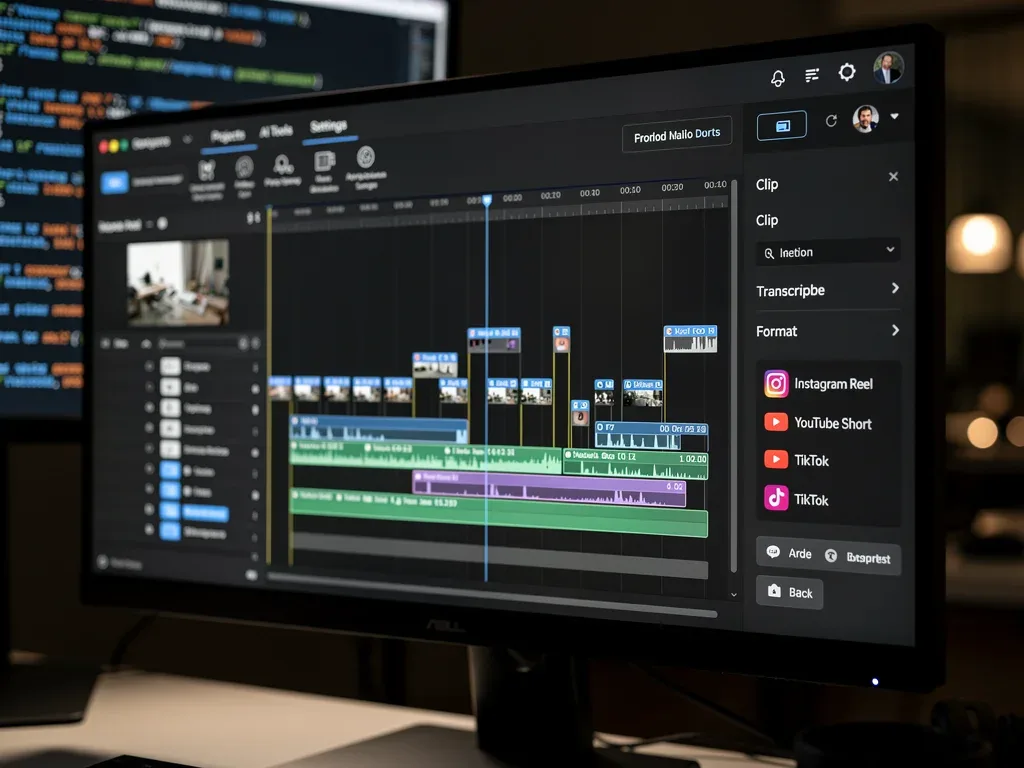
Step-by-step automation process
The following steps outline a typical automated workflow, emphasizing speed and efficiency:
- Video Ingestion and Audio Extraction (1-2 minutes): Your script takes the input video, extracts the audio track using FFmpeg, and prepares it for transcription.
- Speech-to-Text Transcription (2-4 minutes): The extracted audio is fed into a local Whisper model, which quickly generates a highly accurate transcript. This transcript is crucial for identifying key moments.
- Intelligent Clip Segmentation (2-3 minutes): Using NLP on the transcript, the AI identifies significant topics, questions, or impactful statements. It then uses this information to determine ideal start and end points for short clips. For visual cues, basic computer vision could detect scene changes or speaker shifts.
- Video Clipping and Formatting (1-2 minutes): Once the clips are identified, FFmpeg is again used to precisely cut the original video into smaller segments. The AI can then apply pre-defined templates to add intros/outros, burn-in subtitles (from the transcript), and adjust aspect ratios for different platforms (e.g., 9:16 for vertical video, 1:1 for square).
- Output Generation: The final, repurposed video clips are saved to a designated folder, ready for review and upload.
This entire sequence, from raw video to multiple social media-ready clips, can often be executed with a single command or script once your environment is set up. The time estimates are conservative and can be even faster on powerful machines, making the 'under 10 minutes' goal achievable.
Optimizing output for various social media platforms
Repurposing isn't just about cutting videos; it's about optimizing them for where they'll be seen. Each social media platform has its own nuances regarding video length, aspect ratio, captioning, and content style. Local open-source AI can be configured to account for these differences automatically.
For instance, a clip destined for TikTok or Instagram Reels would typically be short (15-60 seconds), vertical (9:16 aspect ratio), and ideally have engaging text overlays or burned-in captions, as many users watch without sound. A clip for LinkedIn, on the other hand, might be slightly longer (1-2 minutes), horizontal (16:9), and focus more on professional insights with clear, concise subtitles.
Customizing AI for platform-specific requirements
Your AI script can be designed with pre-set profiles for each platform. When generating clips, you can specify the target platform, and the AI will automatically apply the appropriate transformations.
- Aspect Ratio Adjustment: Automatically crop or add letterboxing/pillarboxing to fit 9:16, 16:9, or 1:1 ratios.
- Captioning: Generate and burn-in subtitles directly from the Whisper transcript, ensuring accessibility and engagement for sound-off viewing.
- Intro/Outro Integration: Add branded intros or outros to each clip, maintaining brand consistency.
- Length Constraints: Enforce maximum clip durations specific to each platform.
- Visual Enhancements: Basic color correction or stabilization can also be integrated, though this might slightly extend processing time.
By automating these platform-specific adjustments, you ensure that your repurposed content looks professional and performs optimally on every channel. This level of customization, combined with the speed of local AI, allows for an incredibly versatile and efficient content distribution strategy.
Advanced techniques and future possibilities
While the basic setup provides significant automation, there's always room to explore advanced techniques that further enhance the quality and intelligence of your video repurposing. The open-source nature of these AI tools means the possibilities for customization and innovation are vast.
One advanced technique involves integrating sentiment analysis into your NLP pipeline. By understanding the emotional tone of different sections of your video, the AI can prioritize clips that evoke specific feelings, making them more impactful for social media. For example, a segment with high excitement might be perfect for a fast-paced Reel, while a more reflective part could suit a thoughtful LinkedIn post.
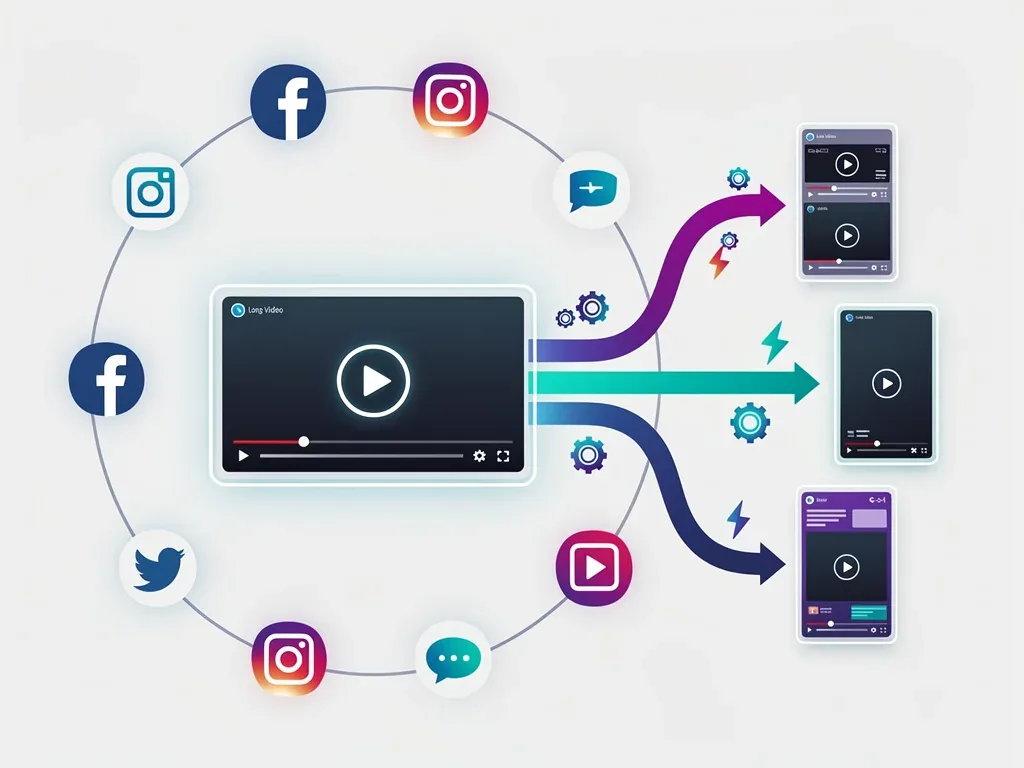
Exploring further automation and personalization
Beyond sentiment, consider implementing speaker diarization. If your video features multiple speakers, AI can identify who is speaking when, allowing you to create clips focused on specific individuals or dialogues. This is particularly useful for interviews or panel discussions.
- Automated Highlight Reels: Train your AI to recognize specific visual cues (e.g., product demonstrations, audience reactions) or keywords (e.g., "breakthrough," "solution") to automatically generate highlight reels.
- Personalized Content: For larger content libraries, AI could eventually learn audience preferences and suggest or even generate clips tailored to specific user segments.
- Multilingual Repurposing: Integrate local open-source translation models to generate clips with subtitles in multiple languages, expanding your global reach.
- AI-driven Thumbnail Generation: Use computer vision to identify visually appealing frames from the generated clips and automatically create compelling thumbnails.
The beauty of local open-source AI is its flexibility. As new models and techniques emerge, you can integrate them into your existing workflow, continually improving the intelligence and efficiency of your video repurposing efforts. This ongoing evolution ensures that your content strategy remains at the forefront of digital innovation.
Overcoming challenges and best practices
While the allure of automated video repurposing with local open-source AI is strong, it's important to acknowledge potential challenges and adopt best practices to ensure success. The primary hurdles often revolve around initial setup complexity, computational resources, and the need for occasional human oversight.
Setting up the local environment can be daunting for those without a technical background. While many open-source projects aim for user-friendliness, debugging installation issues or configuring dependencies might require some patience or consultation with technical communities. However, once the initial setup is complete, the day-to-day operation becomes significantly simpler.
Ensuring quality and ethical AI use
Even with advanced AI, human review remains crucial. Automated systems, while powerful, are not infallible. Transcriptions might have errors, or the AI might misinterpret context, leading to less-than-ideal clip selections. Therefore, always review the AI-generated clips before publishing them to ensure accuracy, quality, and alignment with your brand message.
- Start Simple: Begin with basic transcription and clipping before moving to more complex AI features.
- Regular Updates: Keep your AI models and libraries updated to benefit from the latest improvements and bug fixes.
- Computational Resources: Be mindful of your computer's capabilities. Large video files and complex AI models require substantial processing power.
- Ethical Considerations: Ensure your use of AI respects privacy and avoids generating misleading or biased content. Understand the limitations and potential biases of the models you use.
- Backup Your Data: Always keep original video files and project configurations backed up.
By approaching automated repurposing with a blend of enthusiasm for technology and a commitment to quality control, you can harness the full potential of local open-source AI. This balanced approach will ensure that your content remains authentic, engaging, and highly effective across all social media platforms.
| Key Point | Brief Description |
|---|---|
| Video Repurposing Necessity | Essential for maximizing content lifespan and reaching diverse audiences across social platforms. |
| Local Open-Source AI | Offers privacy, cost-effectiveness, and customization for video processing directly on your machine. |
| 10-Minute Workflow | Streamlined process involving audio extraction, transcription, intelligent segmentation, and formatting. |
| Platform Optimization | Customize output for specific social media platforms, including aspect ratio, captions, and length. |
Frequently asked questions about AI video repurposing
What are the main benefits of using local open-source AI for video repurposing?▼The primary benefits include enhanced data privacy as processing occurs on your device, cost savings by avoiding cloud service fees, and greater customization options. It also offers faster processing times for many tasks, especially with a good GPU, and empowers users with full control over their content workflow.
Is prior coding knowledge required to set up local open-source AI tools?▼While some basic command-line familiarity can be helpful, many open-source projects offer detailed documentation and pre-packaged installers that minimize the need for extensive coding knowledge. However, troubleshooting more complex issues might require a deeper understanding of Python or system administration.
How accurate are open-source AI speech-to-text transcriptions?▼Models like OpenAI Whisper, even when run locally, offer remarkably high accuracy, often rivaling or exceeding commercial cloud services, especially for clear audio. Accuracy can vary based on audio quality, accents, and background noise, so a final human review is always recommended for critical content.
Can local AI adapt clips for different social media platforms automatically?▼Yes, by configuring your AI script with platform-specific parameters, it can automatically adjust aspect ratios, add burned-in captions, and adhere to length constraints for various platforms like TikTok, Instagram Reels, YouTube Shorts, and LinkedIn, ensuring optimized delivery for each.
What hardware is recommended for efficient local AI video repurposing?▼A computer with a modern multi-core processor and at least 16GB of RAM is a good starting point. For optimal performance, especially with larger video files and complex AI models, a dedicated GPU (NVIDIA or AMD) with at least 8GB of VRAM is highly recommended to significantly speed up processing times.
Conclusion
The ability to automate social media video repurposing using local open-source AI in under 10 minutes represents a significant leap forward for content creators and marketers. It democratizes access to powerful AI tools, enabling efficient content creation, broader audience reach, and consistent brand messaging without the constraints of cloud services or hefty subscription fees. By embracing these innovative solutions, you not only streamline your workflow but also unlock new possibilities for creative expression and strategic impact in the ever-evolving digital landscape. The future of content creation is here, and it's powered by intelligent, accessible, and highly efficient local AI.
