Secure Social Accounts: AI Voice Cloning Threat 2026 Guide
Advertisements
Securing your social accounts against the 2026 AI voice cloning threat requires proactive measures like strong authentication, privacy settings, and awareness of deepfake audio to protect your digital identity.
The digital landscape is evolving at an unprecedented pace, and with it, the sophistication of threats aiming to compromise our online lives. By 2026, the rise of advanced AI voice cloning technology is poised to become a significant concern, making it more critical than ever to understand how to secure social accounts effectively. This guide will walk you through essential steps to fortify your digital presence against this emerging challenge.
Understanding the 2026 AI Voice Cloning Threat
The advent of artificial intelligence has brought about remarkable advancements, but also new avenues for malicious actors. AI voice cloning, specifically, has reached a level of sophistication where it can convincingly mimic an individual's voice with minimal audio input. By 2026, this technology is projected to be more accessible and refined, posing a direct threat to personal and financial security through social engineering attacks.
Imagine a scenario where a scammer uses a cloned version of your voice to impersonate you to family members, friends, or even financial institutions. The authenticity of these synthetic voices makes them incredibly difficult to distinguish from real human speech, leading to potential fraud, identity theft, and severe emotional distress. Understanding the mechanics and implications of this threat is the first step towards building robust defenses.
How AI Voice Cloning Works
AI voice cloning relies on deep learning models trained on vast datasets of human speech. These models learn the unique characteristics of a voice, including pitch, tone, accent, and speaking patterns. Once trained, they can generate new speech in that voice, often with startling accuracy. The process typically involves:
- Data Collection: Acquiring audio samples of the target's voice from publicly available sources like social media videos, voicemails, or interviews.
- Model Training: Feeding these samples into a deep learning algorithm to create a voice model.
- Speech Synthesis: Generating new audio by inputting text into the trained model, which then speaks the text in the cloned voice.
The concern for 2026 stems from the expected reduction in the amount of audio data needed to create a high-fidelity clone, alongside increased accessibility to these tools. This democratizes a powerful, potentially dangerous technology.
The Impact on Social Accounts
Social media platforms are particularly vulnerable because they are rich sources of personal information and often serve as primary communication channels. A voice clone could be used to:
- Bypass voice verification systems if implemented poorly.
- Trick contacts into revealing sensitive information or transferring money.
- Create deepfake audio content that can damage reputations or spread misinformation.
These scenarios highlight the urgent need for individuals to adopt advanced security practices, not just for their social media profiles, but for their entire digital ecosystem.
In conclusion, the impending sophistication of AI voice cloning by 2026 represents a critical cybersecurity challenge. Recognizing how this technology operates and its potential impact on your social accounts is foundational to developing an effective defense strategy.
Strengthening Your Authentication Methods
Your first line of defense against any unauthorized access, including those leveraging AI voice clones, is robust authentication. Passwords alone are no longer sufficient. Multi-factor authentication (MFA) is paramount, adding layers of security that make it significantly harder for attackers to compromise your accounts, even if they somehow obtain your password.
MFA typically involves combining something you know (like a password) with something you have (like a phone or a hardware token) or something you are (like a fingerprint or facial scan). For the emerging voice cloning threat, reliance solely on voice biometrics without additional factors could be risky, underscoring the need for diverse authentication methods.
Implementing Multi-Factor Authentication (MFA)
Most major social media platforms offer MFA, and it's crucial to enable it on all your accounts. There are several types of MFA, each offering varying levels of security:
- Authenticator Apps: Apps like Google Authenticator or Authy generate time-based one-time passwords (TOTP) that reset every 30-60 seconds. These are generally considered more secure than SMS-based codes as they are not vulnerable to SIM-swapping attacks.
- Hardware Security Keys: Physical devices like YubiKeys provide the strongest form of MFA. They require physical possession, making them extremely difficult for remote attackers to bypass.
- SMS Codes: While better than no MFA, SMS codes can be intercepted through SIM-swapping. Use them if no other option is available, but prioritize app-based or hardware-based MFA.
Beyond Passwords: Biometrics and Beyond
While voice biometrics might be compromised by AI cloning, other biometric methods like fingerprint and facial recognition remain strong authentication factors for device access. Ensure your devices are secured with these methods, as they often serve as gateways to your social media apps.
Regularly review and update your authentication settings. As technology evolves, so do security recommendations. Stay informed about the latest authentication best practices and adapt your security posture accordingly. Never reuse passwords across different accounts, and always opt for strong, unique passwords generated by a reliable password manager.
In summary, strengthening your authentication methods, particularly by enabling and utilizing multi-factor authentication, forms a critical barrier against unauthorized access attempts, including those potentially facilitated by sophisticated AI voice cloning technologies.
Optimizing Privacy Settings on Social Platforms
Many users overlook the power of privacy settings, leaving their accounts more exposed than necessary. Properly configuring these settings can significantly reduce the amount of personal information, including audio content, available for AI models to scrape and use for cloning purposes. It’s a proactive step in limiting your digital footprint.
Each social media platform has its own set of privacy controls, and it's essential to navigate through them meticulously. Don't rely on default settings; customize them to reflect your desired level of privacy. Think about who can see your posts, photos, and especially any videos or voice notes you might share.
Reviewing and Restricting Content Visibility
Go through your privacy settings on platforms like Facebook, Instagram, X (formerly Twitter), TikTok, and LinkedIn. Pay close attention to who can view your profile, posts, and shared media:
- Limit Public Posts: Change default settings from 'Public' to 'Friends' or 'Private' for personal content.
- Photo and Video Albums: Restrict access to photo and video albums. Consider if certain videos containing your voice are truly necessary to be widely accessible.
- Voice Notes/Audio Content: If you use features that involve sending voice messages, be mindful of who can access these. Consider if such features are truly necessary for public or semi-public interactions.
Regularly audit your privacy settings. Platforms often update their interfaces and default settings, which could inadvertently expose information you previously secured. Make it a habit to check these settings at least once a quarter.
Managing Third-Party App Permissions
Many social media platforms allow third-party applications to integrate with your account. While convenient, these apps can sometimes have extensive permissions, potentially accessing your data, including audio recordings. Review and revoke permissions for any apps you no longer use or don't trust.
Be cautious about granting permissions to new apps. Always read the terms and conditions, and understand what data they will access before connecting them to your social accounts. This vigilance helps prevent data breaches through third-party vulnerabilities, which could indirectly contribute to voice cloning data collection.
By diligently optimizing your privacy settings and managing third-party app permissions, you significantly reduce the amount of personal data, especially audio, available to potential attackers, thereby enhancing your defense against AI voice cloning.
Educating Yourself and Your Network
Technology evolves rapidly, and staying informed is crucial. The threat of AI voice cloning isn't just about technical safeguards; it's also about human awareness and vigilance. Educating yourself and your social network about these risks can create a collective defense mechanism, making everyone less susceptible to sophisticated social engineering attacks.
Share information about deepfakes and voice cloning with your family, friends, and colleagues. The more people who are aware, the harder it becomes for scammers to succeed. Knowledge is power, and in this context, it's a powerful shield against manipulation.
Recognizing Deepfake Audio
While AI voice clones are becoming increasingly convincing, there are often subtle cues that can give them away. Training your ear to detect these anomalies can be a valuable skill:
- Unnatural Pauses or Cadence: AI-generated speech might have slightly off-timing or an unnatural rhythm compared to genuine human speech.
- Monotone or Robotic Elements: Despite advancements, some clones might lack the full range of human emotion and inflection, sounding somewhat flat or robotic.
- Background Noise Inconsistencies: If the cloned voice is supposedly from a specific environment, but the background noise doesn't match, it's a red flag.
- Odd Pronunciations: Certain words or phrases might be mispronounced in ways a native speaker would not.
If you receive a suspicious call or message that sounds like someone you know, especially if it involves urgent requests for money or sensitive information, always verify through an alternative, trusted channel. Call them back on a known number, or use a pre-arranged code word.
Creating a Family/Friend Verification Protocol
Proactively establish a system with your close contacts to verify identities during suspicious communications. This could be a simple code word or a specific question only they would know. This protocol acts as a human-based MFA, providing an extra layer of security that AI cannot easily replicate.
Discuss the dangers of sharing too much personal audio online. Encourage your network to also review their privacy settings and be cautious about what they post. A collective effort in digital hygiene makes the entire community safer.
By staying informed about the evolving nature of AI voice cloning and actively educating your personal network, you significantly enhance your collective resilience against these sophisticated deception tactics.
Regular Security Audits and Software Updates
Cybersecurity is not a set-it-and-forget-it endeavor. It requires continuous attention and adaptation. Regular security audits of your social accounts and ensuring all your software is up-to-date are fundamental practices in maintaining a strong defense against emerging threats, including the 2026 AI voice cloning challenge.
Outdated software often contains known vulnerabilities that attackers can exploit. Patching these vulnerabilities promptly is a critical step in preventing unauthorized access to your devices and, by extension, your social media accounts. Treat software updates not as an inconvenience, but as essential security enhancements.
Performing Account Security Checks
Most social media platforms offer security check-up tools that guide you through reviewing your settings, active sessions, and third-party app permissions. Make use of these tools regularly:
- Review Active Sessions: Check where your account is currently logged in. If you see an unfamiliar device or location, immediately log it out and change your password.
- Third-Party App Review: As mentioned before, regularly audit and revoke access for any apps you no longer use or don't recognize.
- Password Strength Check: Utilize tools that assess the strength of your passwords and prompt you to update weak ones.
Consider using a password manager to generate and store strong, unique passwords for all your accounts. This not only simplifies password management but also ensures you're not reusing passwords, which is a major security risk.
Keeping Software and Devices Updated
Ensure that your operating systems (Windows, macOS, iOS, Android), web browsers, and all social media applications are always running the latest versions. Enable automatic updates whenever possible.
Antivirus and anti-malware software should also be kept current and perform regular scans. These tools can detect and remove malicious software that might be designed to steal your credentials or record your voice, which could then be used for cloning. A clean system is a secure system, and continuous updates are key to maintaining that cleanliness.
In conclusion, consistent security audits and timely software updates are non-negotiable practices for safeguarding your digital life. They provide the necessary defense layers to protect your social accounts against evolving threats like AI voice cloning.
Leveraging Advanced Security Features
As the threat landscape becomes more complex, social media platforms and cybersecurity providers are developing more advanced security features. Familiarizing yourself with and leveraging these tools can provide an extra layer of protection, going beyond basic authentication and privacy settings. These features are designed to detect and prevent sophisticated attacks.
From advanced threat detection to secure communication channels, these tools offer proactive and reactive measures to protect your digital identity. It's crucial to explore what each platform offers and integrate these features into your overall security strategy.
Account Activity Monitoring and Alerts
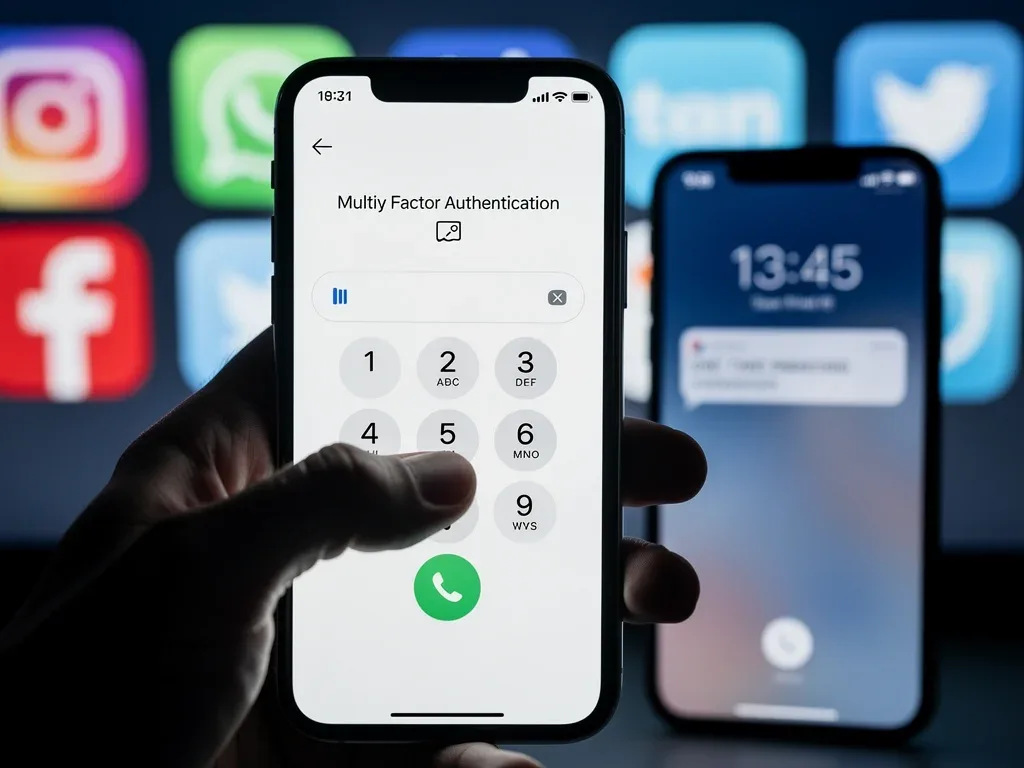
Many platforms offer features that monitor unusual login attempts or suspicious activity. Enable these alerts:
- Login Alerts: Receive notifications whenever your account is accessed from an unrecognized device or location.
- Password Change Alerts: Get an immediate alert if your password is changed.
- Suspicious Activity Notifications: Some platforms use AI themselves to detect patterns of activity that might indicate a compromise, such as unusual posting habits or messaging patterns.
Promptly act on any security alerts you receive. Investigate them thoroughly and change your password if there's any doubt about the legitimacy of the activity. Ignoring these alerts is akin to ignoring a smoke detector.
Utilizing Encrypted Communication
For sensitive conversations, especially those involving personal or financial details, opt for end-to-end encrypted messaging applications. While social media platforms may offer some encryption, dedicated messaging apps like Signal or WhatsApp (with end-to-end encryption enabled) provide a more secure environment for voice calls and messages.
Encrypted communication makes it significantly harder for third parties to intercept and record your voice, thus reducing the raw material available for voice cloning. Always be mindful of the channel you choose for sensitive discussions.
By actively leveraging advanced security features like activity monitoring and encrypted communication, you can significantly bolster your defenses, making it much more challenging for attackers to compromise your accounts and exploit AI voice cloning technologies.
Preparing for the Worst: Recovery and Response
Even with the most robust security measures, no system is entirely foolproof. Preparing for a potential breach is just as important as preventing one. Having a clear recovery and response plan in place can minimize damage and help you regain control of your accounts swiftly should a compromise occur, especially in the face of sophisticated AI voice cloning attacks.
A well-thought-out plan includes knowing who to contact, what steps to take immediately, and how to restore your digital presence. Proactive planning reduces panic and ensures a more effective response during a crisis.
Establishing an Emergency Contact and Recovery Information
Ensure your social media accounts have up-to-date recovery information, such as an alternative email address and phone number. This information is crucial for regaining access if you're locked out.
- Trusted Contacts: Some platforms allow you to designate trusted contacts who can help you recover your account. Set these up and inform your trusted individuals of their role.
- Backup Codes: If you use authenticator apps for MFA, download and securely store backup codes. These codes are a lifesaver if you lose your device or cannot access your authenticator app.
Regularly review and update this recovery information. An old phone number or an inactive email address will be useless in an emergency.
Incident Response Plan
If you suspect your social account has been compromised, or if you encounter a deepfake voice clone attempting to impersonate you, act quickly:
- Change Passwords Immediately: Start with the compromised account and then any other accounts using the same or similar passwords.
- Report the Incident: Notify the social media platform's support team. Provide as much detail as possible about the suspicious activity.
- Inform Your Network: Alert your friends, family, and colleagues about the potential compromise. This prevents them from falling victim to scams perpetrated using your cloned voice or compromised account.
- Document Everything: Keep records of all suspicious activity, communications, and actions taken. This documentation can be vital for law enforcement or platform support.
By having a clear recovery and response strategy, you can mitigate the impact of a security incident, including those involving advanced AI voice cloning, and restore your digital security with greater efficiency.
| Key Protection Strategy | Brief Description |
|---|---|
| Strong Authentication | Implement Multi-Factor Authentication (MFA) on all accounts, prioritizing app-based or hardware keys over SMS. |
| Privacy Optimization | Regularly review and restrict content visibility and third-party app permissions to limit data available for cloning. |
| Awareness & Education | Learn to recognize deepfake audio and establish verification protocols with your trusted contacts. |
| Incident Response | Prepare a recovery plan, including updated recovery info and steps for reporting and informing your network post-breach. |
Frequently Asked Questions About AI Voice Cloning Threats
What is AI voice cloning and why is it a threat by 2026?▼AI voice cloning is the use of artificial intelligence to generate synthetic speech that mimics a specific person's voice. By 2026, it's projected to be highly sophisticated and accessible, posing a threat by enabling impersonation for fraud, identity theft, and social engineering attacks on social media platforms.
How can Multi-Factor Authentication (MFA) protect against voice cloning?▼MFA adds layers of security beyond just a password. Even if an AI voice clone is used to trick someone into revealing a password, MFA requires a second verification step, like a code from an authenticator app or a hardware key, making unauthorized access significantly harder without physical access to your device.
What privacy settings should I prioritize to prevent voice cloning?▼Prioritize restricting public visibility of your posts, photos, and especially any videos or voice notes containing your voice. Regularly review and limit third-party app permissions, as these can inadvertently expose audio data that could be used to train AI voice models.
How can I recognize a deepfake voice or suspicious audio?▼Look for unnatural pauses, monotone elements, inconsistent background noise, or odd pronunciations. If a call or message sounds suspicious, especially with urgent requests for money, always verify the person's identity through an alternative, trusted communication channel or using a pre-arranged code word.
What should I do if I suspect my social account has been compromised by a voice clone?▼Immediately change your passwords, starting with the compromised account. Report the incident to the social media platform's support and inform your friends and family about the potential breach to prevent them from falling victim to scams using your cloned voice. Document all suspicious activity for records.
Conclusion
The evolving threat of AI voice cloning by 2026 demands a proactive and multi-faceted approach to digital security. By strengthening authentication methods, optimizing privacy settings, educating ourselves and our networks, performing regular security audits, and preparing for potential breaches, we can collectively build robust defenses. Staying vigilant and informed is not just a recommendation; it's an imperative for safeguarding our digital identities and ensuring the integrity of our online interactions in an increasingly complex technological landscape.
