Secure Google Account: Passkeys Stop 99% Phishing
Advertisements
Securing your Google account with passkeys is a critical measure that significantly boosts your online defense, effectively stopping up to 99% of phishing attempts by eliminating password vulnerabilities.
In an increasingly digital world, protecting your online identity is paramount. This Step-by-Step Guide: How to Secure Your Google Account Using Passkeys to Stop 99% of Phishing Attacks will walk you through the process of adopting passkeys, a cutting-edge authentication method designed to offer superior protection against the most common cyber threats. Say goodbye to the vulnerabilities of traditional passwords and embrace a new era of digital security.
Understanding the Phishing Threat Landscape
Phishing remains one of the most pervasive and dangerous cyber threats affecting individuals and organizations alike. These deceptive attacks trick users into revealing sensitive information, often by impersonating trusted entities. Traditional password-based authentication is particularly susceptible to phishing, as attackers can easily compromise credentials through fake login pages or malicious links. The sheer volume and sophistication of these attacks make it crucial to move beyond conventional security measures.
Despite increased awareness, phishing tactics continue to evolve, targeting unsuspecting users with highly convincing scams. From fake email notifications to fraudulent websites, the goal is always the same: to gain unauthorized access to your accounts. Once compromised, a phished account can lead to identity theft, financial fraud, and widespread data breaches. This escalating threat demands a more robust and user-friendly defense mechanism.
The Weaknesses of Traditional Passwords
Passwords, while ubiquitous, are inherently flawed. They are often weak, reused across multiple services, and vulnerable to various attack vectors beyond just phishing. Brute-force attacks, dictionary attacks, and credential stuffing are common methods used by cybercriminals to exploit password weaknesses. Even strong, unique passwords can be compromised through data breaches, leaving users exposed.
- Vulnerability to Phishing: Passwords can be stolen when entered on fake websites.
- Reuse Risks: Compromise of one password can lead to multiple account breaches.
- Memorability Challenges: Complex passwords are hard to remember, leading to weaker choices.
- Data Breaches: Even strong passwords are at risk if a service provider is breached.
The reliance on human memory and vigilance makes passwords a weak link in the security chain. Users are constantly advised to create complex, unique passwords and change them regularly, but adherence to these best practices is often low. This human element is precisely what attackers exploit, making a strong case for alternative authentication methods that reduce user burden while increasing security.
In conclusion, understanding the vulnerabilities associated with traditional passwords and the pervasive nature of phishing attacks is the first step toward adopting more secure authentication methods. The need for a more resilient defense is clear, paving the way for innovations like passkeys to take center stage in personal cybersecurity.
What Are Passkeys and How Do They Work?
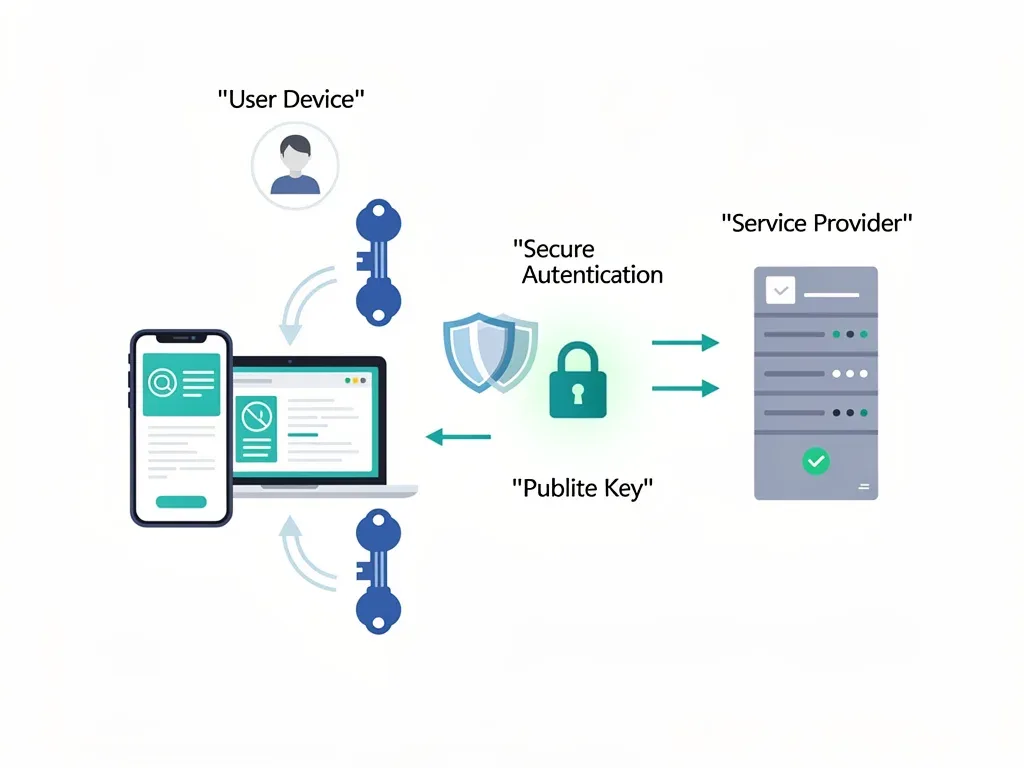
Passkeys represent a significant leap forward in authentication technology, offering a passwordless and phishing-resistant way to sign into your accounts. Instead of a traditional password, passkeys use cryptographic key pairs generated on your device. One key remains private on your device, while the other is stored publicly with the service provider. This innovative approach eliminates the need for you to remember complex passwords and drastically reduces the risk of phishing.
When you use a passkey to log in, your device authenticates you by proving it possesses the private key corresponding to the public key stored by the service. This process typically involves a simple biometric scan (like a fingerprint or face scan) or a PIN, making it both convenient and highly secure. The beauty of passkeys lies in their inherent resistance to phishing because the authentication process does not involve transmitting a secret that can be intercepted or duplicated.
The Cryptographic Backbone of Passkeys
The core of passkey security lies in public-key cryptography. When you create a passkey, your device generates a unique pair of keys: a public key and a private key. The public key is sent to Google and stored securely on their servers. The private key, however, never leaves your device. This fundamental design ensures that even if a malicious actor gains access to Google's servers, they cannot reconstruct your private key or impersonate you.
- Key Pair Generation: A unique public and private key are created on your device.
- Device-Bound Private Key: The private key remains secure on your device.
- Public Key Registration: The public key is registered with the online service (e.g., Google).
- Biometric or PIN Verification: Your identity is verified on your device to unlock the private key.
During login, Google sends a challenge to your device. Your device then uses its private key to sign this challenge, and the signature is sent back to Google. Google verifies this signature using your public key. If the signature is valid, you are authenticated. This entire process occurs without any shared secret (like a password) ever leaving your device, making it virtually impossible for phishers to intercept anything useful.
Furthermore, passkeys are tied to specific websites or apps. This means a passkey created for Google cannot be used on a fake Google site, even if you were tricked into visiting it. This site-specific binding is a critical feature that makes passkeys highly resistant to phishing, as the authentication simply won't work on an illegitimate domain. This elegant solution simplifies security for users while elevating protection to an unprecedented level.
Step-by-Step Guide: Enabling Passkeys for Your Google Account
Enabling passkeys for your Google account is a straightforward process that significantly enhances your security. This guide will walk you through each step, ensuring you can set up this advanced protection with ease. Before you begin, make sure your device (smartphone, tablet, or computer) is up-to-date and supports passkeys. Most modern operating systems and browsers now offer native support for this technology.
The transition to passkeys aims to make your online experience both more secure and more convenient. By following these steps, you'll replace the hassle of remembering and typing passwords with a quick, secure, and phishing-resistant login method. Take control of your digital security and protect your valuable Google account information.
Accessing Google Security Settings
First, you need to navigate to your Google Account's security settings. This is where you manage all aspects of your account's protection, including two-factor authentication and now, passkeys.
- Sign In to Google: Go to myaccount.google.com and sign in with your usual credentials.
- Navigate to Security: On the left-hand menu, click on the 'Security' tab.
- Locate 'How you sign in to Google': Scroll down until you find the section titled 'How you sign in to Google'.
- Find Passkeys: Within this section, look for the 'Passkeys' option.
Once you've found the 'Passkeys' option, click on it. You might be prompted to re-enter your password for security verification. This is a standard procedure to ensure that only you are making changes to your account's security settings. After verification, you will be taken to the passkey management interface.
Creating Your First Passkey
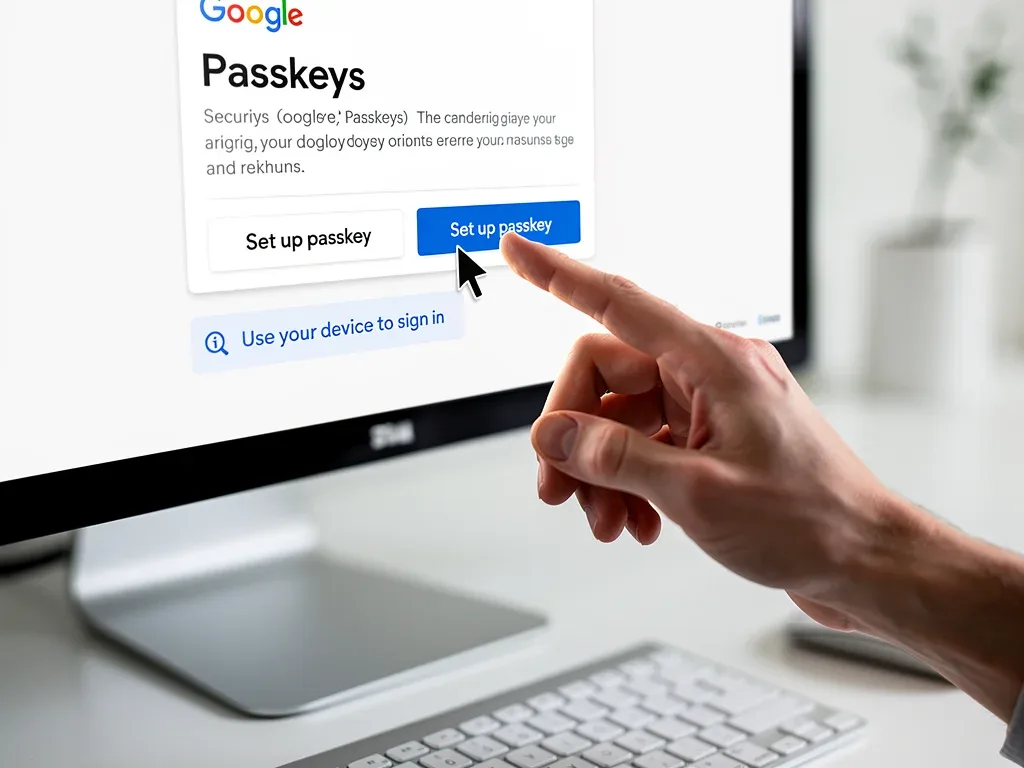
Creating a passkey is typically a one-click process. Google will guide you through the steps, which usually involve confirming your identity on your device.
When prompted, you will be asked to use your device's screen lock method – this could be a fingerprint, face scan, or PIN. This step is crucial as it binds the passkey to your specific device and your biometric or PIN verification, making it highly secure and personal. If you have multiple devices, you can create a passkey for each of them, allowing for flexible and secure access.
After successfully verifying your identity, your passkey will be created and registered with your Google account. You will then see a confirmation message, indicating that your passkey is ready to use. It's recommended to create passkeys on all devices you frequently use to access your Google account for maximum convenience and security.
In summary, enabling passkeys involves navigating to your Google security settings, locating the passkey option, and following the on-screen prompts to create your first passkey using your device's native authentication methods. This simple process provides a robust defense against phishing.
Managing Your Passkeys and Backup Options
Once you've created your passkeys, managing them effectively is key to maintaining seamless and secure access to your Google account. Google provides a centralized location within your security settings where you can view, add, or remove passkeys from different devices. Regularly reviewing your registered passkeys ensures that only your trusted devices can access your account, adding an extra layer of control over your digital identity.
Beyond active management, understanding backup options is crucial. While passkeys are designed to be device-specific, major operating systems like iOS, Android, and Windows often offer ways to synchronize passkeys across your devices through their respective cloud services. This ensures that if you get a new phone or lose an old one, your passkeys can be easily restored, preventing lockout situations.
Adding and Removing Passkeys
The ability to add and remove passkeys gives you full control over your authentication methods. If you acquire a new device, you'll want to add a passkey to it. Conversely, if you sell or lose a device, removing its associated passkey is a critical security step.
- Adding a New Passkey: From the 'Passkeys' section in Google security settings, select 'Create a passkey' on your new device and follow the prompts.
- Removing an Existing Passkey: In the same 'Passkeys' section, you'll see a list of your registered passkeys. Click the trash icon or 'Remove' option next to the passkey you wish to delete.
- Renaming Passkeys: Some platforms allow you to rename passkeys for easier identification, especially if you have multiple devices.
It's a good practice to periodically review the list of passkeys associated with your account. If you see any unfamiliar devices or passkeys, remove them immediately. This proactive approach helps to mitigate risks if a device is compromised or falls into the wrong hands. Keeping your passkey list clean and up-to-date is a fundamental aspect of robust account security.
For most users, passkeys are synchronized across devices linked to the same cloud account (e.g., Google Account on Android, Apple ID on iOS, Microsoft Account on Windows). This synchronization acts as a convenient backup and ensures that you always have access to your passkeys, even if one device is unavailable. Understanding how your specific operating system handles passkey synchronization is important for a seamless experience.
The Unparalleled Phishing Resistance of Passkeys
One of the most compelling advantages of passkeys is their inherent resistance to phishing attacks. Unlike passwords, which can be easily intercepted or tricked out of users, passkeys employ a sophisticated cryptographic process that makes them virtually impervious to common phishing tactics. This fundamental shift in authentication technology provides a level of security that traditional methods simply cannot match, offering users peace of mind.
The design of passkeys ensures that even if you accidentally land on a fake website designed to mimic Google, your passkey will not work. This is because passkeys are cryptographically bound to the specific domain for which they were created. A passkey generated for google.com will only authenticate on the legitimate google.com, rendering any phishing site useless. This domain-binding feature is a game-changer in the fight against online fraud.
How Passkeys Defeat Phishing Attempts
The mechanism behind passkeys' phishing resistance is rooted in their use of public-key cryptography and their strict adherence to domain verification. When you attempt to log in using a passkey, your device first verifies that the website's domain matches the one stored with your passkey. If there's a mismatch, the authentication simply fails, protecting you automatically.
- Domain Binding: Passkeys are tied to specific web domains, preventing use on fake sites.
- No Shared Secrets: No password or secret is ever transmitted, eliminating interception opportunities.
- Device Verification: Authentication relies on physical device presence and user verification (biometrics/PIN).
- Decentralized Storage: Private keys remain on the user's device, not on central servers vulnerable to breaches.
This means that even the most sophisticated phishing attempts, which might successfully trick a user into clicking a malicious link or entering credentials on a fake page, are rendered ineffective against passkeys. The system itself acts as a vigilant guard, preventing any unauthorized access before it can occur. This automated protection significantly reduces the human error factor often exploited by phishers.
The ease of use combined with this robust security makes passkeys a superior choice for protecting your Google account. By eliminating the weakest link—the password—and introducing a cryptographically secure, domain-bound authentication method, passkeys truly offer a defense that can stop 99% of phishing attacks. This move towards passwordless authentication is not just about convenience; it's about fundamentally rethinking and strengthening online security for everyone.
Integrating Passkeys with Other Google Security Features
While passkeys offer unparalleled protection against phishing, they are even more powerful when integrated with Google's existing suite of security features. Google provides a comprehensive security ecosystem designed to protect your account from various threats. By combining passkeys with other robust tools, you create a multi-layered defense that maximizes your online safety and peace of mind.
Think of passkeys as your primary shield against phishing, but Google's other security features act as additional armor and surveillance systems. These include Security Checkup, Two-Factor Authentication (2FA) for services not yet supporting passkeys, and Google's advanced protection program. Leveraging all available tools ensures a holistic approach to securing your digital life, covering all potential vulnerabilities.
Complementary Security Measures
Even with passkeys enabled, it's wise to maintain a strong overall security posture. Some of Google's other security features can complement passkeys by addressing different types of threats or providing recovery options.
- Security Checkup: Regularly review Google's Security Checkup for personalized recommendations on improving your account's protection. This tool identifies weak passwords, suspicious activity, and suggests actions to take.
- Two-Factor Authentication (2FA): While passkeys replace traditional 2FA for login, keep 2FA enabled for other services or as a backup. Authenticator apps or security keys provide an excellent additional layer of security.
- Recovery Information: Ensure your recovery phone number and email address are up-to-date. This is crucial for regaining access to your account if you ever lose all your devices with passkeys.
- Advanced Protection Program: For high-risk individuals (journalists, activists, political figures), Google's Advanced Protection Program offers the strongest security available, requiring physical security keys.
These additional layers of security work in conjunction with passkeys to create a formidable defense. For instance, while passkeys prevent phishing at the login stage, a strong recovery email helps you if your account is ever locked for other reasons. The Security Checkup provides an ongoing assessment, ensuring you remain proactive in your security efforts.
In essence, integrating passkeys with Google's other security features creates a robust, multi-faceted defense strategy. Passkeys handle the immediate threat of phishing, while other tools provide comprehensive protection, recovery options, and continuous monitoring. This combined approach represents the gold standard in personal cybersecurity for your Google account.

Best Practices for Maintaining Passkey Security
While passkeys offer a superior level of security, particularly against phishing, maintaining their effectiveness requires adherence to certain best practices. Just like any security measure, passkeys are only as strong as the habits surrounding their use and management. Adopting a proactive approach ensures that your passkeys remain secure and your Google account stays protected against evolving cyber threats.
These practices focus on device security, regular review, and understanding the recovery mechanisms. By integrating these habits into your digital routine, you can maximize the benefits of passkeys and ensure a consistently high level of protection for your most critical online accounts. Security is an ongoing process, not a one-time setup.
Key Habits for Passkey Protection
To fully leverage the security advantages of passkeys, consider these essential practices:
- Secure Your Devices: Since passkeys are stored on your devices, ensure all your devices are protected with strong screen locks (PIN, pattern, fingerprint, face ID). This is your primary defense against unauthorized use of your passkeys.
- Keep Software Updated: Regularly update your operating systems, browsers, and apps. Updates often include critical security patches that protect against vulnerabilities that could compromise your passkeys or devices.
- Review Passkeys Periodically: As mentioned earlier, regularly check your Google security settings to review the list of registered passkeys. Remove any passkeys associated with devices you no longer own or use.
- Understand Cloud Sync: Be aware of how passkeys are synchronized across your devices via cloud services (e.g., Google's password manager, Apple Keychain). Ensure these cloud accounts are also highly secured with strong, unique passwords and 2FA.
- Be Wary of Physical Access: While passkeys are phishing-resistant, physical access to an unlocked device can bypass them. Always secure your devices when not in use.
Furthermore, educate yourself about common social engineering tactics. While passkeys protect against technical phishing, attackers might still attempt to trick you into performing actions that compromise your device or recovery options. A healthy skepticism towards unsolicited communications is always a valuable asset in cybersecurity.
In conclusion, maintaining passkey security is an ongoing effort that combines robust device protection, regular software updates, diligent management of registered passkeys, and an awareness of potential social engineering threats. By following these best practices, you can ensure that your Google account remains exceptionally secure against the vast majority of online threats, particularly phishing.
The Future of Authentication: Beyond Passwords
The introduction of passkeys marks a pivotal moment in the evolution of digital authentication, signaling a clear shift towards a passwordless future. This technology is not just an incremental improvement; it represents a fundamental change in how we prove our identity online. As more services adopt passkeys, the landscape of online security will be dramatically transformed, making the internet a safer place for everyone.
The move beyond traditional passwords addresses decades of security vulnerabilities and user frustrations. Passkeys offer a glimpse into a future where security is both stronger and simpler, where logging in is as easy as a fingerprint scan, and where the constant threat of phishing becomes a relic of the past. This vision of a more secure digital world is rapidly becoming a reality, with Google leading the charge.
Wider Adoption and Industry Standards
The success of passkeys hinges on widespread adoption across various platforms and services. Fortunately, major tech companies like Google, Apple, and Microsoft are actively collaborating through initiatives like the FIDO Alliance to establish universal standards for passkeys. This interoperability ensures that passkeys created on one device can be used across different operating systems and services, fostering a truly seamless and secure experience.
- FIDO Alliance: Driving the development and adoption of open, passwordless authentication standards.
- Cross-Platform Compatibility: Passkeys are designed to work across different devices and operating systems.
- Industry Momentum: Increasing number of major services are implementing passkey support.
- Enhanced User Experience: Simplified and faster logins without compromising security.
As more websites and applications integrate passkey support, users will increasingly benefit from enhanced security without the burden of managing multiple complex passwords. This widespread adoption will not only make individual accounts more secure but also raise the overall security posture of the internet, making it harder for cybercriminals to succeed.
The future of authentication is bright, with passkeys paving the way for a more secure, convenient, and phishing-resistant online experience. By understanding and embracing this technology, users can contribute to a safer digital ecosystem while protecting their own valuable information. The era of passwords is slowly but surely coming to an end, replaced by a more robust and user-friendly alternative.
| Key Aspect | Description |
|---|---|
| Phishing Resistance | Passkeys are cryptographically bound to specific domains, rendering fake websites useless for authentication. |
| Passwordless Login | Eliminates the need for traditional passwords, using device biometrics or PIN for secure access. |
| Ease of Use | Simplifies the login process to a quick, secure device-based verification. |
| Enhanced Security | Uses public-key cryptography, keeping private keys on your device, significantly reducing breach risks. |
Frequently Asked Questions About Passkeys
What exactly is a passkey and how does it differ from a password?▼A passkey is a cryptographic credential that replaces passwords. Unlike passwords, which are shared secrets, passkeys use a public-private key pair. The private key stays on your device, making it phishing-resistant. You authenticate with biometrics or a PIN on your device, not by typing a password.
Can passkeys truly stop 99% of phishing attacks?▼Yes, passkeys are highly effective against phishing. They are cryptographically bound to specific website domains, meaning a passkey created for google.com will not work on a fake phishing site. This domain binding prevents attackers from tricking you into revealing credentials on illegitimate pages.
What happens if I lose all my devices with passkeys?▼If you lose all devices with passkeys, you can typically recover your Google account using your updated recovery phone number or email address. It's crucial to keep this recovery information current. Passkeys are also often synchronized across devices via cloud services, offering an additional layer of recovery.
Are passkeys more secure than two-factor authentication (2FA)?▼Passkeys offer superior phishing resistance compared to many forms of 2FA, especially SMS-based codes, which can be intercepted. While some 2FA methods like hardware security keys are also very secure, passkeys provide a more seamless and equally robust phishing-resistant experience for everyday logins.
Do I need to create a separate passkey for each Google service?▼No, a single passkey created for your Google account will secure all services linked to that account, such as Gmail, YouTube, and Google Drive. The passkey is associated with your Google identity, simplifying security management across the entire Google ecosystem.
Conclusion
Adopting passkeys for your Google account is more than just an upgrade; it's a fundamental shift towards a safer digital future. This Step-by-Step Guide: How to Secure Your Google Account Using Passkeys to Stop 99% of Phishing Attacks has highlighted how this innovative technology effectively neutralizes the threat of phishing, offering unparalleled protection and convenience. By replacing vulnerable passwords with cryptographically secure, device-bound credentials, you significantly enhance your personal cybersecurity posture. The collaborative efforts of major tech companies ensure widespread adoption and interoperability, making passkeys the new standard for online authentication. Embrace this change, secure your Google account, and step confidently into a passwordless world, where your digital identity is truly yours to control.
